 Best Budget Laptops for Students 2026: Top Picks for Performance, Battery Life, and Value
  Cost to Build a VR Gaming Setup: Realistic Budget Breakdown and Component Guide
  Best Indie Games to Play This Year: Top Picks, Must-Try Hidden Gems, and Essential Guides
  How to Build a Custom Gaming PC: Step‑by‑Step Guide for Parts, Assembly, and Optimization
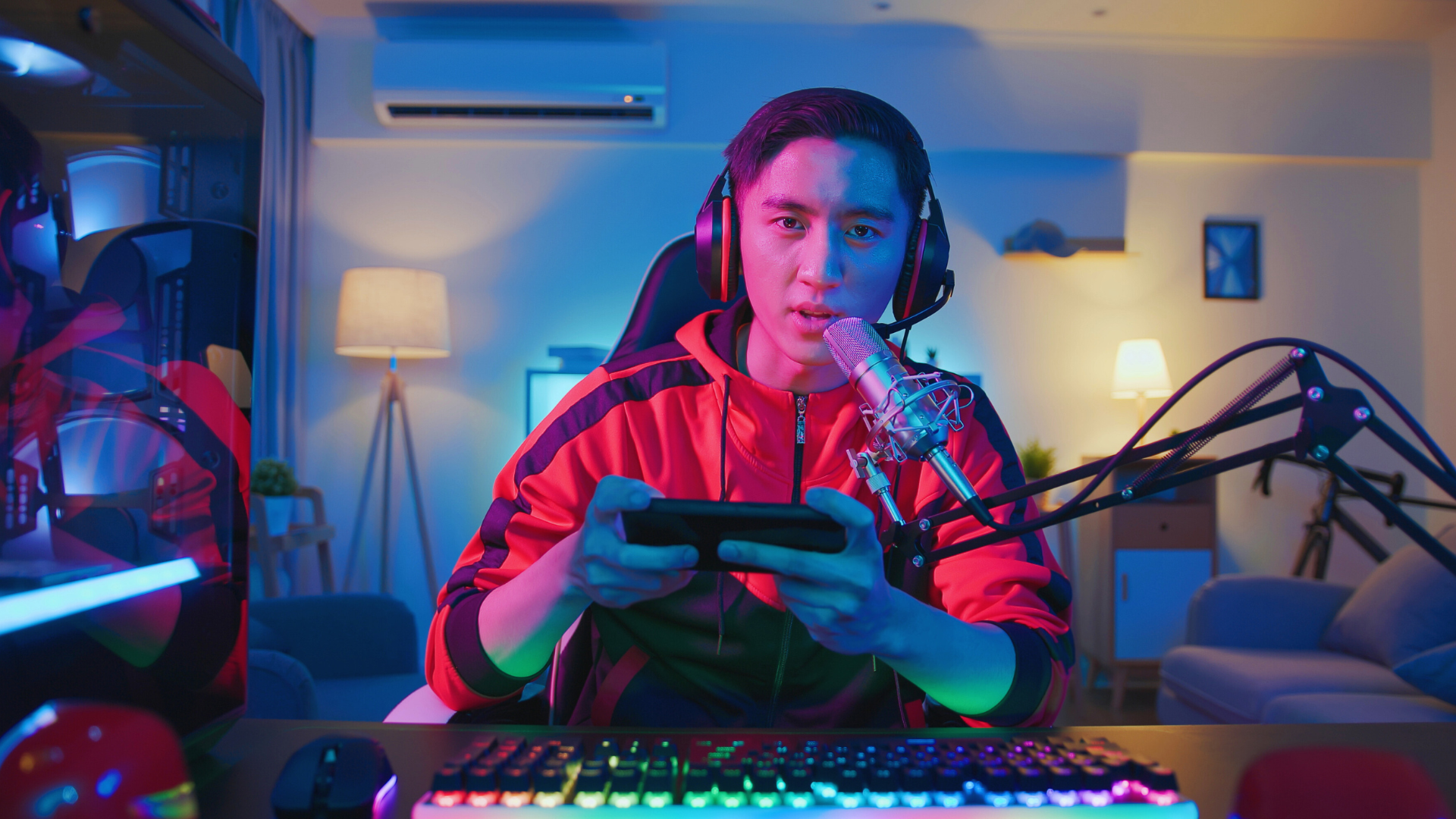
You want to launch a gaming YouTube channel that actually grows. Start by choosing a clear niche, a consistent upload plan, and a simple setup that lets you publish high-quality videos regularly.
They’ll learn the basic gear and channel settings that matter, how to craft videos that hold attention, and which growth tactics move the needle without wasting time on gimmicks.
This piece walks through practical steps for building a channel foundation, creating compelling content, and scaling viewership so they can turn gameplay into a sustainable channel.
Fundamentals of Building a Gaming YouTube Channel
Successful channels combine a clear niche, consistent branding, and reliable gear and software. They use a memorable channel name, clear visuals, steady upload schedules, and editing workflows that match production goals.
Choosing the Right Gaming Niche
They should pick a niche that matches their skills and audience demand. Options include competitive esports (ranked play, tips), game-specific guides (Fortnite, Valorant, Elden Ring), retro gaming, speedrunning, indie game reviews, or hardware/build showcases. Research monthly search volume and viewer demographics using YouTube search, Google Trends, and competitor channels.
Aim for a niche narrow enough to reduce competition but broad enough for steady content ideas. For example, “Valorant agent guides” targets a focused audience; “FPS tips for beginners” reaches a wider base. Decide whether to emphasize live streams, edited highlights, or long-form tutorials, since each affects equipment and editing needs. Create a content calendar and upload schedule to maintain consistency.
Developing Your Brand Identity
They must craft a clear channel name, banner, and profile image that reflect the niche and tone. Use a short, easy-to-spell channel name and a 2560×1440 banner where the central 1546×423 area contains the main message. Keep the profile image simple and legible at 98×98 pixels. Write a 100–150-word channel description that includes primary keywords and a publishing cadence.
Design a visual style: consistent thumbnail templates, font choices, and color palette. Thumbnails should use readable text, high-contrast colors, and a face or focal game element. Maintain on-screen overlays and intro/outro sequences for recognition. Add channel sections (playlists) in YouTube Studio to group content by series, and pin a content schedule in the About tab or banner to set viewer expectations.
Essential Equipment and Software
They need reliable capture, audio, and editing tools scaled to budget and goals. For PC gameplay, a gaming PC with a dedicated GPU and 16GB+ RAM is standard. For console capture, use an Elgato or AVerMedia capture card. For webcam facecam, recommend Logitech C920 or similar 1080p webcams. Lighting improves image quality; a ring light or softbox reduces shadowing. A green screen helps with background removal when needed.
Audio quality matters: start with a USB microphone like the Blue Yeti, then upgrade to an XLR mic with an interface for pro sound. Use OBS Studio or built-in capture software to record; OBS supports scene switching for live streams. For editing, pick software that fits skill level: Shotcut or DaVinci Resolve (free), up to Adobe Premiere Pro, Final Cut, or Sony Vegas for paid options. Use YouTube Studio to manage uploads, schedule content, and track analytics.
Content Creation Strategies and Growth for Gaming YouTubers
They should build a content plan that balances evergreen tutorials and trending clips, optimize each video for discovery, and set clear monetization and community-expansion steps.
Selecting and Planning Gaming Content Types
Creators should pick 2–4 core content pillars and schedule them weekly. For example: one walkthrough or playthrough series (deep, episodic playthroughs of RPGs like The Witcher 4), one tutorial or mod showcase (how to install mods or advanced mechanics), and one faster-format item such as YouTube Shorts showcasing clutch plays or speedrun segments.
Let’s plays and multiplayer clips work well together: a weekly co-op or esports commentary session (Valorant, League of Legends, Fortnite) plus solo walkthroughs keep variety without confusing subscribers. Use analytics tools like TubeBuddy or vidIQ to test which pillar raises click-through rate and watch time.
Create episode templates: intro hook (5–10s), clear objectives for the session, mid-video recap to boost retention, and a CTA to subscribe and join Discord or Reddit. Plan thumbnails and titles ahead to support YouTube SEO and trending-game discovery.
Optimizing for Discovery and Engagement
Title and thumbnail drive first impressions; pair a concise, searchable video title (game + problem/feature) with a high-contrast thumbnail showing action and text. Use keywords naturally in the title and first 1–2 lines of the description; populate tags with specific terms like “playthrough,” “speedrun,” “walkthrough,” and the game name.
Improve retention with chapter markers (Intro, Key Moment, Tutorial, Endgame), and add pinned comments linking to playlists (e.g., full walkthrough playlist) and Discord. Promote live streams and YouTube Live sessions on Twitter/Reddit and schedule regular streams to increase real-time engagement and Super Chat income.
Track metrics: monitor CTR, average view duration, and subscriber growth per video. Optimize based on data: if watch time drops at 2:30 consistently, restructure intros and pacing. Use seasonal trends and new releases to capture early algorithm boosts.
Monetization and Expanding Your Community
Aim first for YouTube Partner Program thresholds (1,000 subscribers and 4,000 watch hours) by combining long-form walkthroughs with Shorts to boost views quickly. Diversify revenue: ad revenue plus channel memberships, Super Chat during livestreams, affiliate marketing for gear and game keys, and sponsorships for higher CPMs.
Use Discord as a hub: post behind-the-scenes updates, host community game nights, and collect feedback for future content. Cross-promote to Reddit niche subreddits and game-specific Discord servers, but follow community rules to avoid spam.
Scale sustainably: reinvest a portion of earnings into better capture hardware (microphone, capture card), editing software, and occasional paid boosts for high-priority uploads. Track revenue per video and subscriber growth to decide which content pillars to double down on.