 How to Build a Budget Gaming PC in 2026: A Confident, Step-by-Step Guide to Parts, Assembly, and Performance Optimization
  How to Use ChatGPT for Productivity: Practical Strategies for Faster, Smarter Work
  Best Budget Laptops for Students 2026: Top Picks for Performance, Battery Life, and Value
  Cost to Build a VR Gaming Setup: Realistic Budget Breakdown and Component Guide
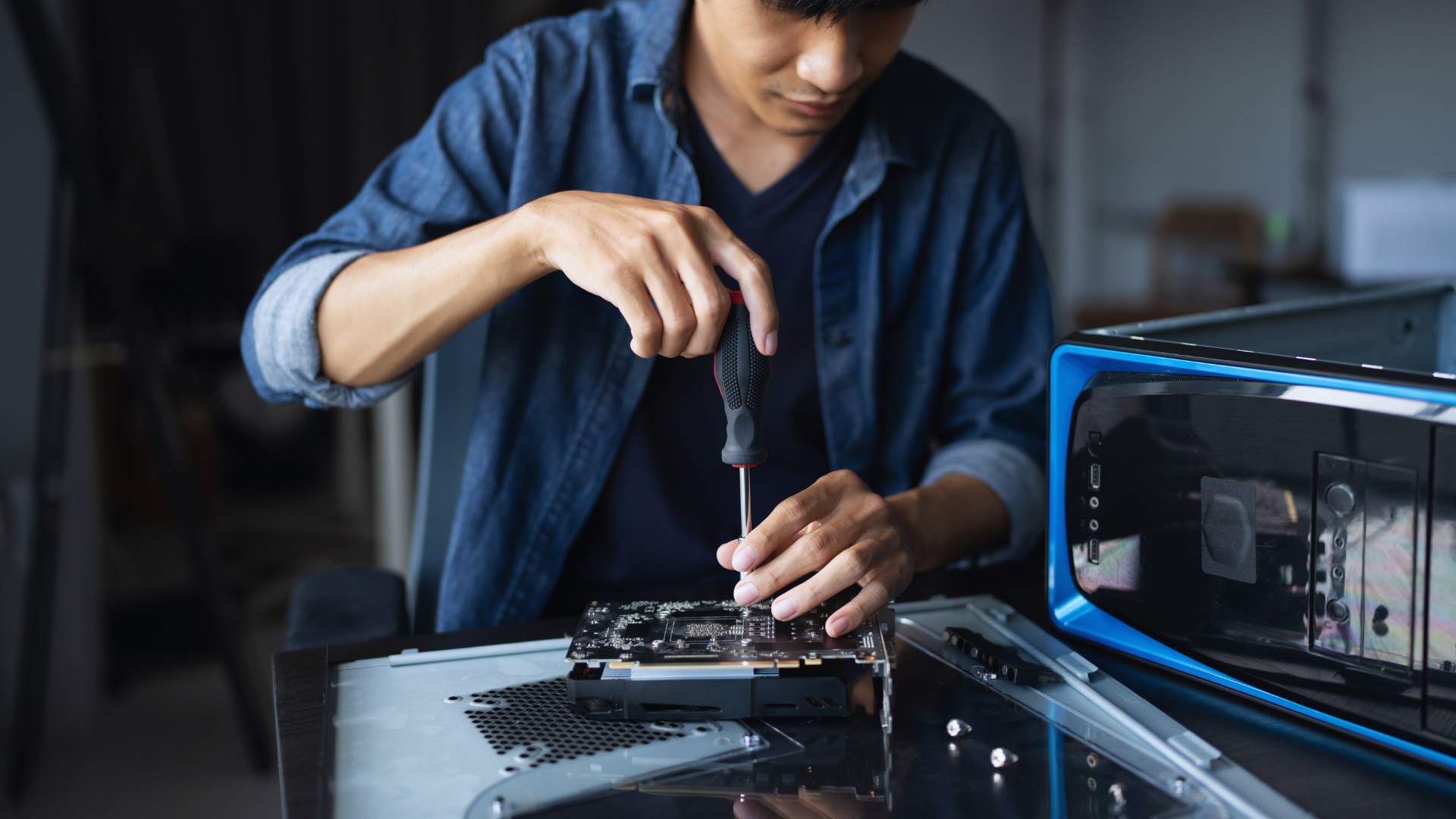
They want a solid gaming PC in 2026 without overspending, and this guide lays out exactly how to do it. They can build a capable, upgradeable budget gaming PC in 2026 by prioritizing a balanced CPU and GPU, choosing cost-effective memory and storage, and using a quality power supply and efficient cooling.
The following sections show how to choose essential components for a 2026 PC build and how to assemble, cool, and optimize the system for consistent performance. Practical tips and current component trade-offs help them avoid common mistakes and stretch every dollar while keeping future upgrades in mind.
Selecting the Essential Components for a Budget Gaming PC Build in 2026
This section pinpoints which CPU platform, GPU tier, memory type, storage options, and motherboard features deliver the best price-to-performance in 2026. It highlights specific models, compatibility checkpoints, and real-world priorities for 1080p and 1440p gaming.
Choosing the Right CPU and Platform (AMD Ryzen and Intel Options)
Choose based on budget, upgrade path, and single-thread performance. For AMD, AM5 motherboards support Zen 4 and Zen 5 lines; the AMD Ryzen 5 7600X offers strong single-thread performance for gaming and pairs well with B650 or entry X670 boards. Older AM4 chips like the Ryzen 5 5500 or Ryzen 5 9600 (if found used) can still cut costs on B550 boards, but limit future upgrades.
Intel’s midrange Alder Lake and Raptor Lake successors remain competitive. Look for B660 or B760 boards for cost-focused builds; higher-end cores help in CPU-limited titles. Consider power and cooling: locked multiplier chips reduce motherboard cost. Prioritize clock speed and IPC over core count for 1080p gaming, but pick more cores for streaming or multitasking.
Understanding GPU Choices for 1080p and 1440p Gaming
For 1080p high-refresh gaming, modern midrange cards hit the sweet spot. NVIDIA GeForce 40/50-series midrange or current-gen replacements provide strong frame rates; consider used RTX 30-series bargains if price-sensitive. AMD Radeon RX 9000 series (RDNA 4) cards like RX 9060 XT 16GB target 1080p/1440p entry-level performance and can be value buys when discounted.
For 1440p or higher fidelity, step up to cards with more memory and shader throughput. NVIDIA upper-mid GPUs or AMD RX 8900 XTX-class alternatives deliver consistent 1440p performance. Intel Arc remains an option in budget segments, but check driver maturity for preferred games. Factor power draw, cooling, and VRAM: 8–12 GB suits 1080p, while 12–16+ GB benefits 1440p textures and future-proofing.
RAM and Storage Recommendations: DDR5, NVMe SSDs, and HDDs
Prioritize 16 GB DDR5 for new builds; 32 GB suits streamers or heavy multitaskers. DDR5 frequency and timings matter less than capacity, but aim for 5200–6000 MT/s kits for AM5 and current Intel platforms. Corsair and Gigabyte-branded kits offer reliable options. On legacy B550 builds using DDR4, focus on tight timings and stable kits.
Use NVMe M.2 SSDs for OS and games. PCIe 4.0 NVMe SSDs give excellent price/performance; Gen4 drives from Samsung, WD, or Corsair deliver fast load times. PCIe 5.0 NVMe drives add headroom but cost more. Keep a 1 TB NVMe for games and a 2 TB HDD or SATA SSD for bulk storage and backups. Ensure the motherboard M.2 slot supports the chosen PCIe generation.
Motherboard Selection and Compatibility Considerations
Match the socket and chipset first. For AMD Zen 5 and Ryzen 7000-series, pick AM5 B650 or X670 motherboards for PCIe 5.0 lanes and DDR5 support; B650 boards often yield the best value. For older Ryzen chips on AM4, ASRock B550 and Gigabyte B550 boards remain affordable choices but lack DDR5 and PCIe 5.0.
For Intel builds, B660/B760 motherboards balance features and cost. Check VRM quality for overclocking headroom and sustained performance. Confirm M.2 slot PCIe generation, RAM type (DDR4 vs DDR5), SATA ports, and BIOS update requirements—some motherboards need firmware updates to support newer CPU revisions. Verify dimensions (mATX vs ATX) for case compatibility and ensure at least one reinforced PCIe x16 slot for heavier GPUs.
Building, Cooling, and Optimizing Your 2026 Budget Gaming PC
This section covers practical choices for power, airflow, cooling methods, thermal compounds, OS and app selection, responsiveness tweaks, and cost-effective upgrade paths. It emphasizes component compatibility, measurable thermal management, and steps that improve frame rates and longevity.
Power Supply, Cases, and Airflow Strategies
They should choose a PSU with an 80+ Gold or better efficiency rating and a wattage headroom of ~25–30% above peak GPU+CPU draw. For many 2026 budget builds, a 650–750W unit from a reputable maker protects against voltage sag during GPU boost and occasional overclocking.
Pick a case that supports frontal intake and top/rear exhaust; mid-tower ATX cases with at least three 120mm fan mounts enable balanced airflow. Mesh front panels and removable dust filters improve intake volume and maintenance.
Place intake fans low and exhaust fans high to exploit natural convection. Use positive pressure (more intake CFM than exhaust) to reduce dust ingress. Route cables behind the motherboard tray, avoid blocking the GPU intake, and ensure the PSU shroud doesn’t trap heat from NVMe drives.
Efficient Cooling: Air vs Liquid, Thermal Paste, and Thermal Management
Air cooling gives the best value for budget gaming PCs in 2026: dual-tower air coolers with 120–140mm fans handle modern midrange CPUs while remaining quiet and cheap. All-in-one (AIO) liquid cooling works when compact cases limit cooler height or when users target tighter CPU temperatures for overclocking.
Apply a pea-sized or line method of high-quality thermal paste (e.g., modern ceramic or metal-based compounds). Replace paste every 2–3 years or after removing the cooler to maintain thermal conductivity.
Monitor package temperature and VRM temps with software (HWInfo, Ryzen Master, or OEM tools). Set custom fan curves in the UEFI or via software so fans ramp progressively at 60–75°C and peak around 85°C to balance noise and sustained performance. Ensure VRM cooling for AM5/LGA sockets with small heatsinks or airflow-directed case fans.
Operating Systems, Applications, and System Responsiveness
Windows 11 remains the primary choice for maximum game compatibility and driver support from GPU vendors; enable Game Mode, hardware-accelerated GPU scheduling, and latest DirectX updates for better scheduling on hybrid CPUs from big foundries like TSMC. Linux offers low-overhead alternatives for supported titles and emulation, but verify Proton compatibility lists before committing.
Keep only essential background applications installed and disable startup items that consume CPU cycles or I/O. Use a lightweight antivirus and enable SSD-specific features: TRIM for NVMe drives and firmware updates via vendor tools to sustain I/O performance.
Prioritize fast NVMe storage (PCIe 4.0 or 5.0 for newer budget boards) and populate memory channels per motherboard recommendations for dual/quad-channel bandwidth. These changes produce measurable reductions in load times and frame hitching, improving perceived system responsiveness.
Cost Optimization and Upgrade Paths for Budget Gaming PCs
Allocate budget by performance per dollar: prioritize GPU, then CPU, then RAM, and then storage. A recent midrange GPU paired with a last-gen CPU can outpace balanced but lower-tier combos in 2026. Buy a modular PSU with extra connectors to avoid full replacements when upgrading the GPU or adding drives.
Choose a motherboard with at least one open M.2 slot, two RAM slots with 32GB headroom, and a recent chipset that supports BIOS updates for future CPU upgrades. For cooling, buy a quality air cooler that fits new sockets; it often outlives several CPU upgrades and beats many budget AIOs on cost-per-year.
Watch sales cycles tied to TSMC-driven chip launches and GPU refreshes to time purchases. Resell older but functional components to offset upgrade costs and keep the total gaming PC cost reasonable over multiple upgrade iterations.